 Posted by
 Microsoft’s TFS has been going a long way from a version control system (VCS) to an integrated system for its Application Life-cycle Management (ALM) solution, and to a platform providing DevOps pipelines for various systems and tools. Just like any other modern tools trying to solve chronicle complex issues, the solution itself becomes more complicate and takes time to master. Below is a case study for using TFS to build release pipelines to resolve multiple issues at once.
Symptoms
- Human errors when getting the right version of code from TFS
- Extra effort require and sometimes missed to merge code after Prod deployment
- Untrusted code base due to inconsistent merging
Assesment
- The teams have been using TFS for a while since TFS 2012.
- Not too many team members are familiar with all aspect of a software release management including branching & merging, automation, integration, and collaboration in addition to TFS tools.
Analysis
- (3rd party) Ticket-based development & deployment
- Cherry-pick merging strategy
- Infrastructure teams handle the manual deployment, not interested in any changes on their end
Diagnosis
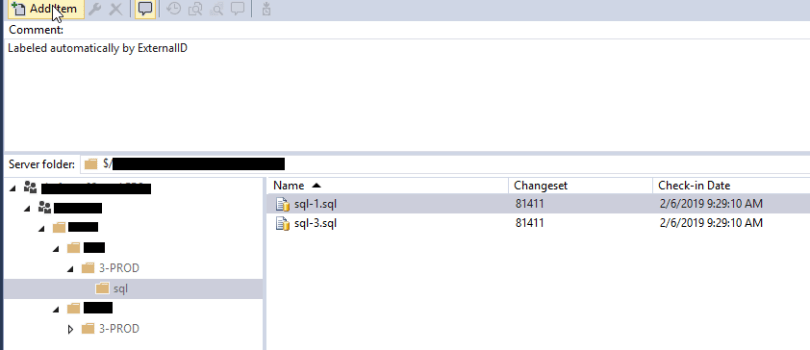
- Label changeset items with 3rd-party tickets to track all changes and scopes
- Grab items based on labels to hand over to deployment teams to avoid human errors from reading file lists and do it manually
- Use service hooks (Code Checked In) to apply labels to save developers time and hassle to label them individually (sometimes more than 100 items per tickets)
- Use pre-deploy approval emails as notification to deployment teams
- Use post-deploy approval notification as confirmation of the deployment from deployment teams
- Developers initiate/continue Prod environment deployment with the same build artifacts when passed QA and business users tests. Build once, deploy multiple environments

- Use service hooks (Release Deployment Completed) to merge code from QA to Prod after successful deployment to save effort

- Apply an additional day-based label across all applications for easy auditing of what goes to Prod on any particular days
Solution
- Map 3rd party ticketing system to TFS with a custom field on one-to-one basis
- Associate single work item with each changeset/check in
- Create custom Service Hooks to label items based on the 3rd party ticket numbers
- Create build definitions per developer and queue them by labels
- Create release definitions per developer and dropping the packages to Infrastructure/Operation teams for manual deployment
- Use pre-deploy and post-deploy approval process for communication
- Create custom service hooks after successful production deployments
- To merge code from QA to Prod based on label automatically
- To label all production code with date for audit purpose
- Holistic views
- Changed items per ticket
- Production deployment per department
- Visual Studio view
- Changed items per ticket
-
-
- Widget view

- Widget view
-
 My Azure DevOps